SVG, PDF and .aiPlus EPS, DXF, EMF and Affinity files
Exact PathfinderCurve booleans that don’t give up
Private by designEvery path is drawn on your device
10 languagesThe interface follows your browser
If you know Illustrator, you already know where things are
The Pen, Direct Selection, Pathfinder, Smart Guides, Appearance, Swatches and Layers sit where your hands expect them, with the same shortcuts. Here is some of what the web build does. Screenshots from the VectorCraft project.
Real Bézier paths, exact Pathfinder
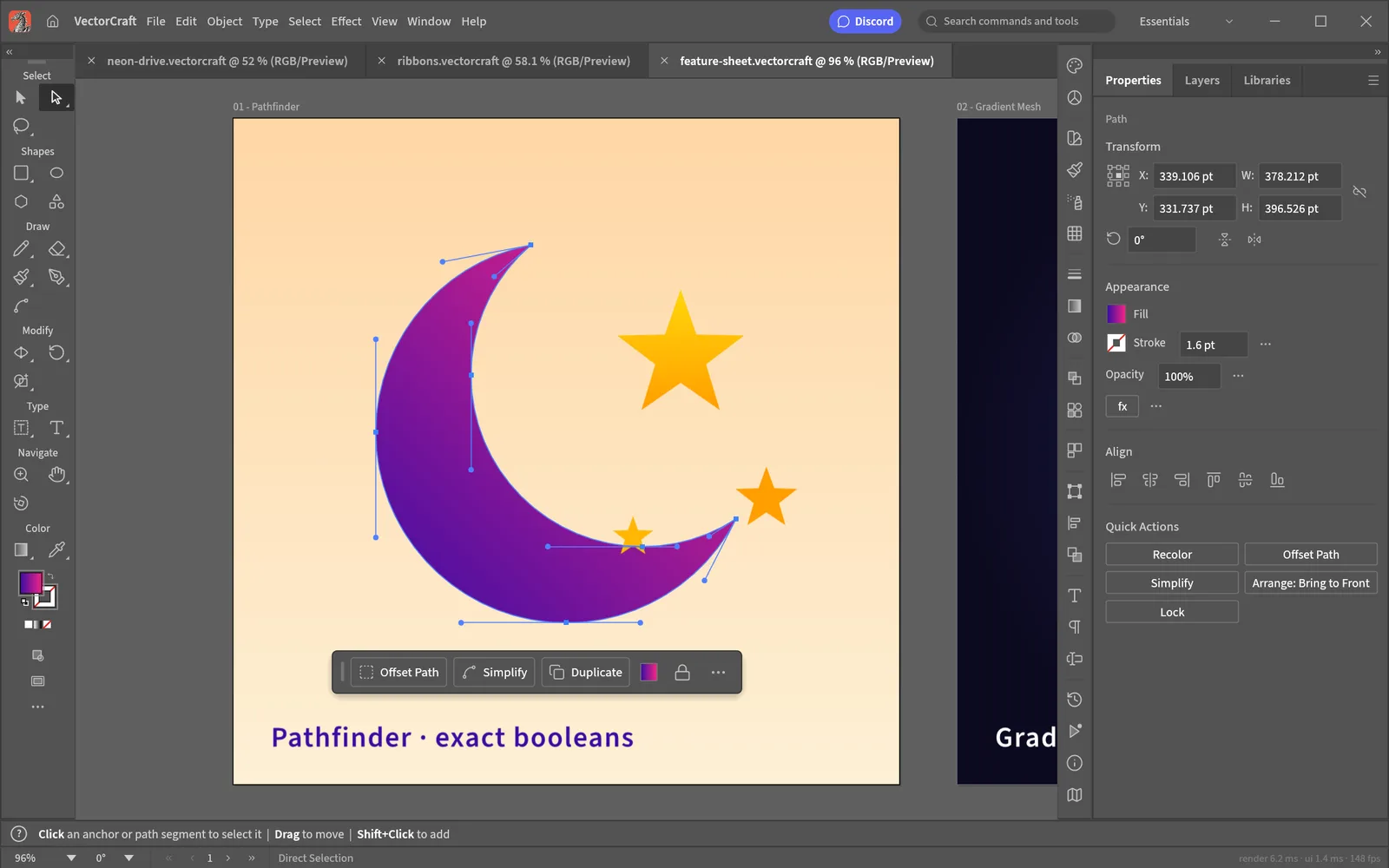
Draw with the Pen, Curvature and Pencil tools, then pull anchors and handles with Direct Selection. Pathfinder uses exact curve booleans, so Unite, Minus Front and Divide don’t fail on awkward overlaps, and Shape Builder merges regions with a drag.
A crescent cut with Pathfinder, its anchors and handles showing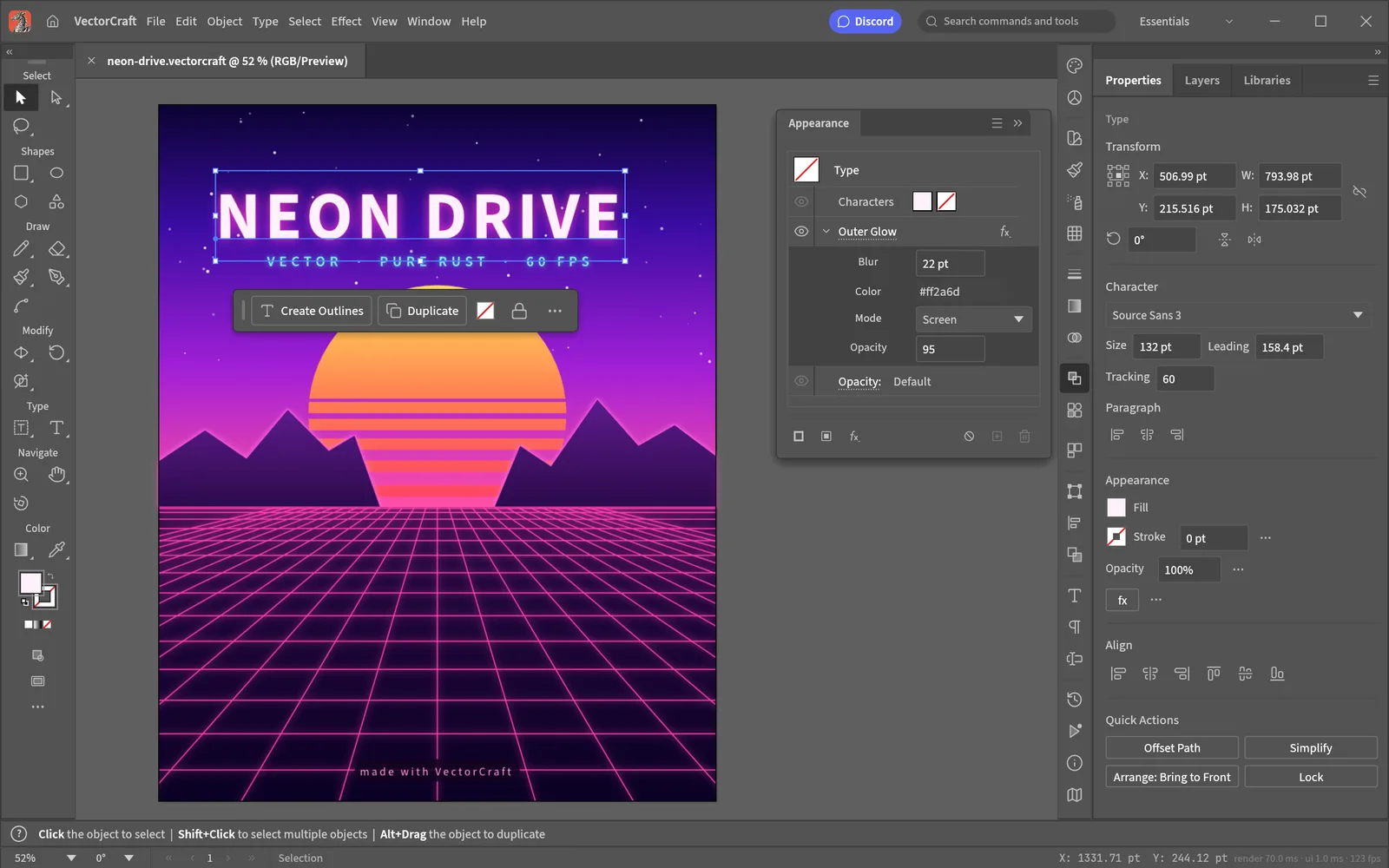
Live effects in the Appearance panel
Fills, strokes and effects stack on any object, type included, and stay editable. Here an Outer Glow sits on the title and the grid, the sun is cut with Pathfinder, and clipping masks hold the scene together.
Neon Drive, a poster from the project’s examples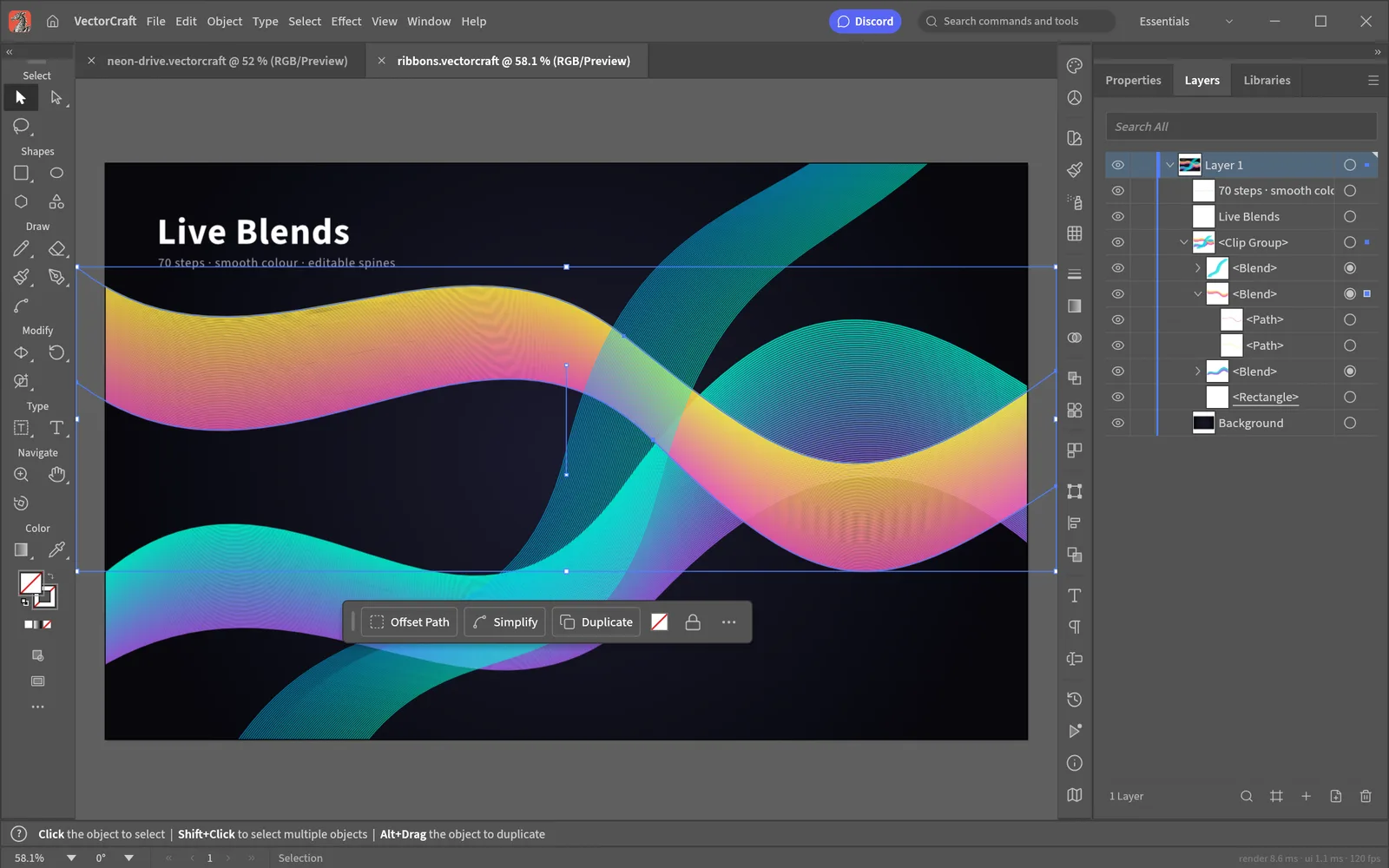
Live blends and a full Layers panel
Blends keep their key paths editable: move one and every step follows. Every object is a row in the Layers panel, with groups, clipping groups, visibility and locks.
Ribbons: 70-step blends with smooth colour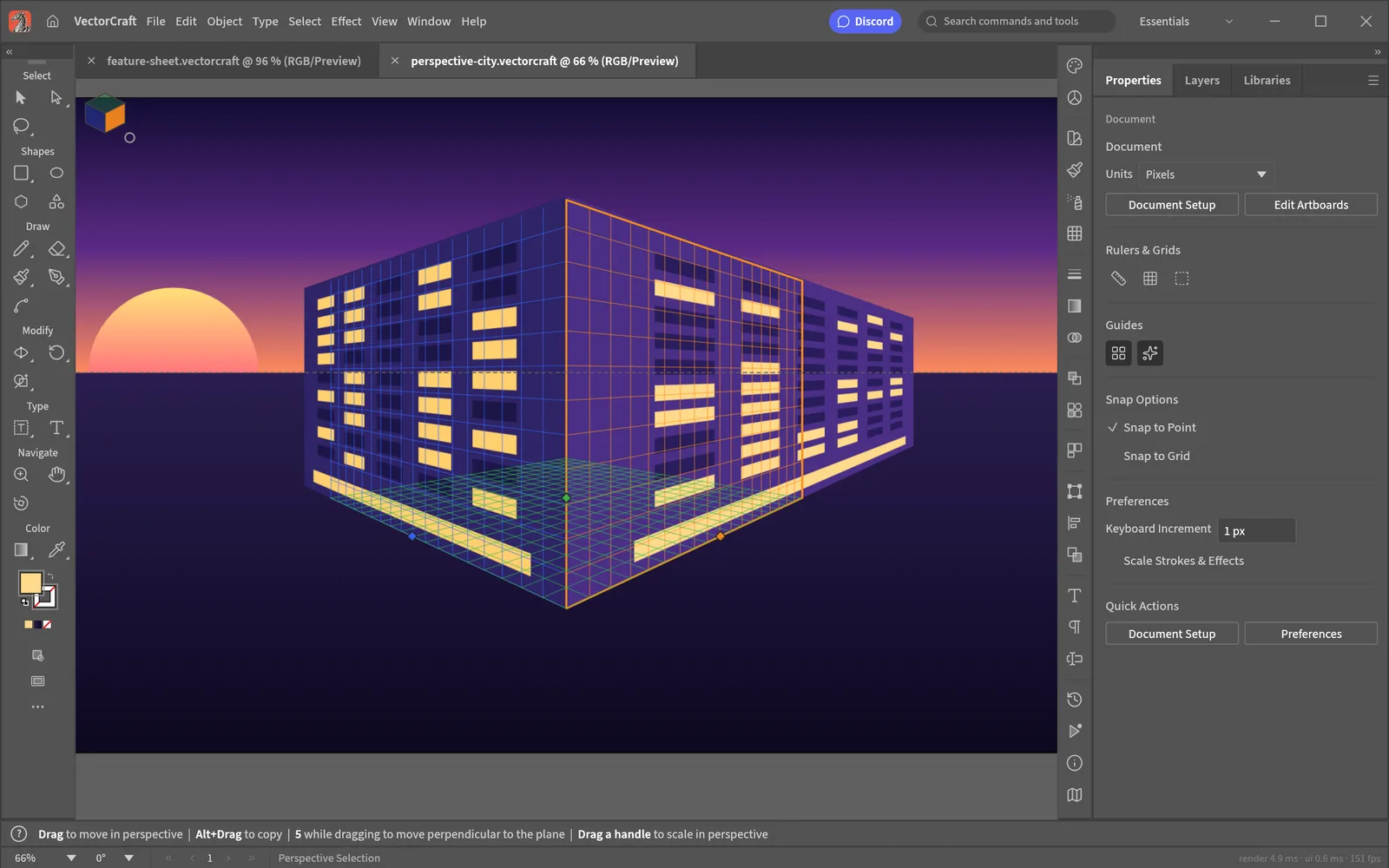
Perspective Grid
Draw on one-, two- or three-point grids. Art attached to a plane stays editable in perspective, and the Perspective Selection tool moves it along the plane.
A city street on a two-point grid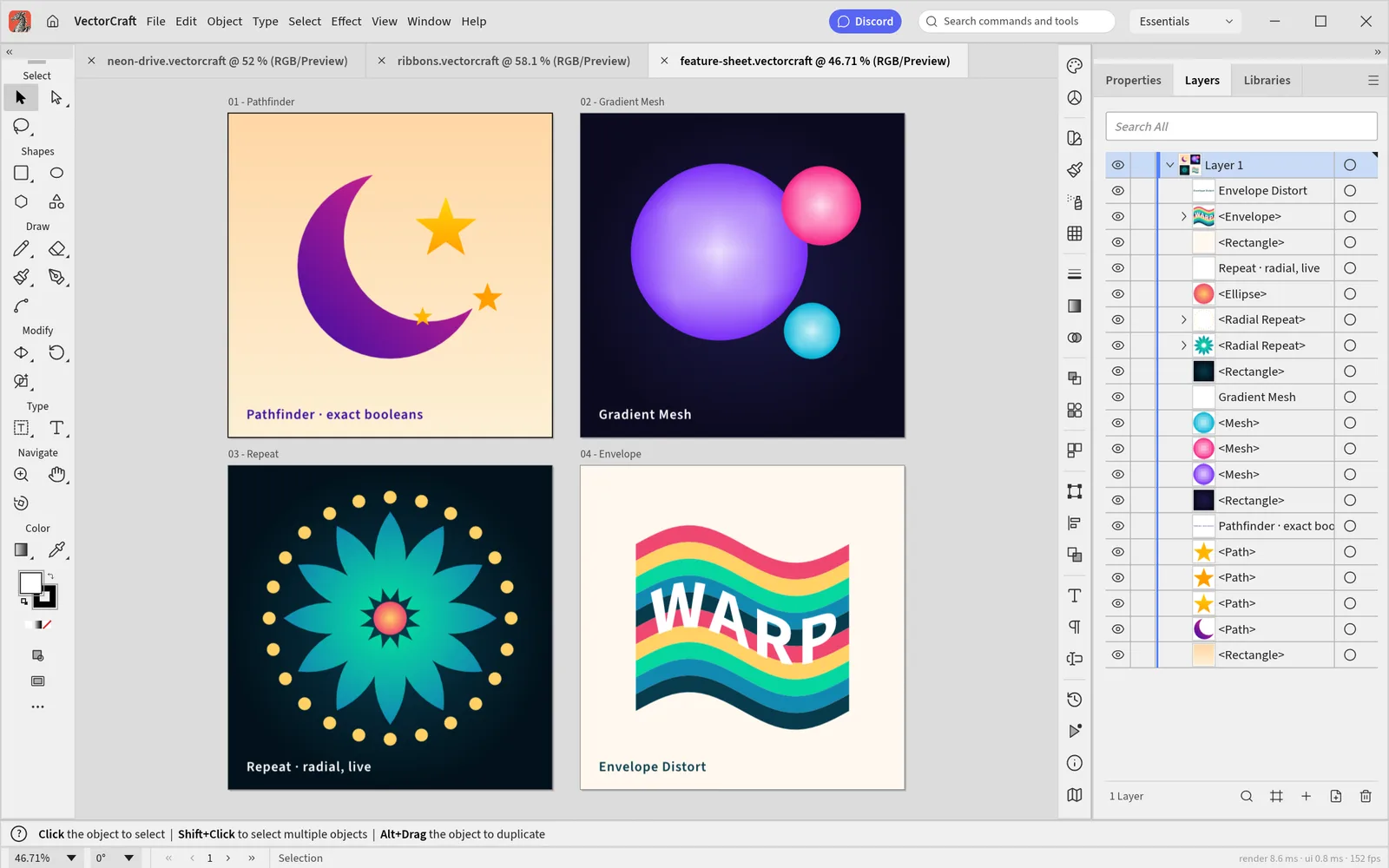
Multiple artboards, mesh, Repeat and envelopes
Lay out several artboards in one document and export each one. Gradient Mesh shades shapes, live Repeat makes radial, grid and mirror patterns, and Envelope Distort bends art and type. A light interface theme is built in.
The project’s feature sheet in the light themeQuestions
Is VectorCraft Online free?
Yes. VectorCraft is free and open source, there is no account, and nothing is locked behind a plan. The optional AI tools use your own API key, so any AI usage is billed by your provider, not by us.
Is this the official VectorCraft?
It is the official VectorCraft web build, unmodified, as the ArtCraft team publishes it on GitHub. This site is independent: we host that build, keep it on the latest release and add guides and the AI panel around it.
Are my files uploaded anywhere?
No. VectorCraft runs inside your browser with WebAssembly. Files open from your disk, edits happen on your device, and Save and Export arrive as downloads. The only exception is the AI panel, which sends your prompt (and an SVG you choose to revise) straight to the AI provider whose key you entered.
Can it open Illustrator .ai files?
It opens PDF-compatible .ai files, which is how Illustrator saves by default, along with SVG, PDF, EPS, DXF, EMF and Affinity documents. The VectorCraft developers say the layer structure of real Illustrator files doesn’t always come through yet, and VectorCraft doesn’t write Illustrator’s own editing data, so keep your originals.
Does it save my work automatically?
Not to a file. Save (or Export) downloads your work, so do that before you close the tab. What the browser build does have is Data Recovery: every 2 minutes it keeps a copy of modified documents in browser storage and offers them back after a crash. That storage is small and is lost if you clear site data or use a private window.
Which browsers work?
A current Chrome, Edge, Firefox or Safari with WebGPU or WebGL2. VectorCraft uses WebGPU when it is available and falls back to WebGL2 on its own. A laptop or desktop with a mouse works best.
Can I use it in my language?
The interface follows your browser’s language. It speaks English, German, Japanese, Traditional and Simplified Chinese, Spanish, French, Italian, Russian and Ukrainian, and its menus are also in Czech and Brazilian Portuguese. You can pick one in Edit › Preferences › User Interface.
How does it compare with Adobe Illustrator?
It follows Illustrator’s layout, tools, menus and shortcuts, so it feels familiar, but it is an independent clean-room project in alpha. Its developers estimate that about 88% of Illustrator 2026’s menu items, tools, effects and formats exist. Still missing: most of 3D, about half of the raster effects, the Effect Gallery, scripting and generative AI.